Client
SORA
Context
Context
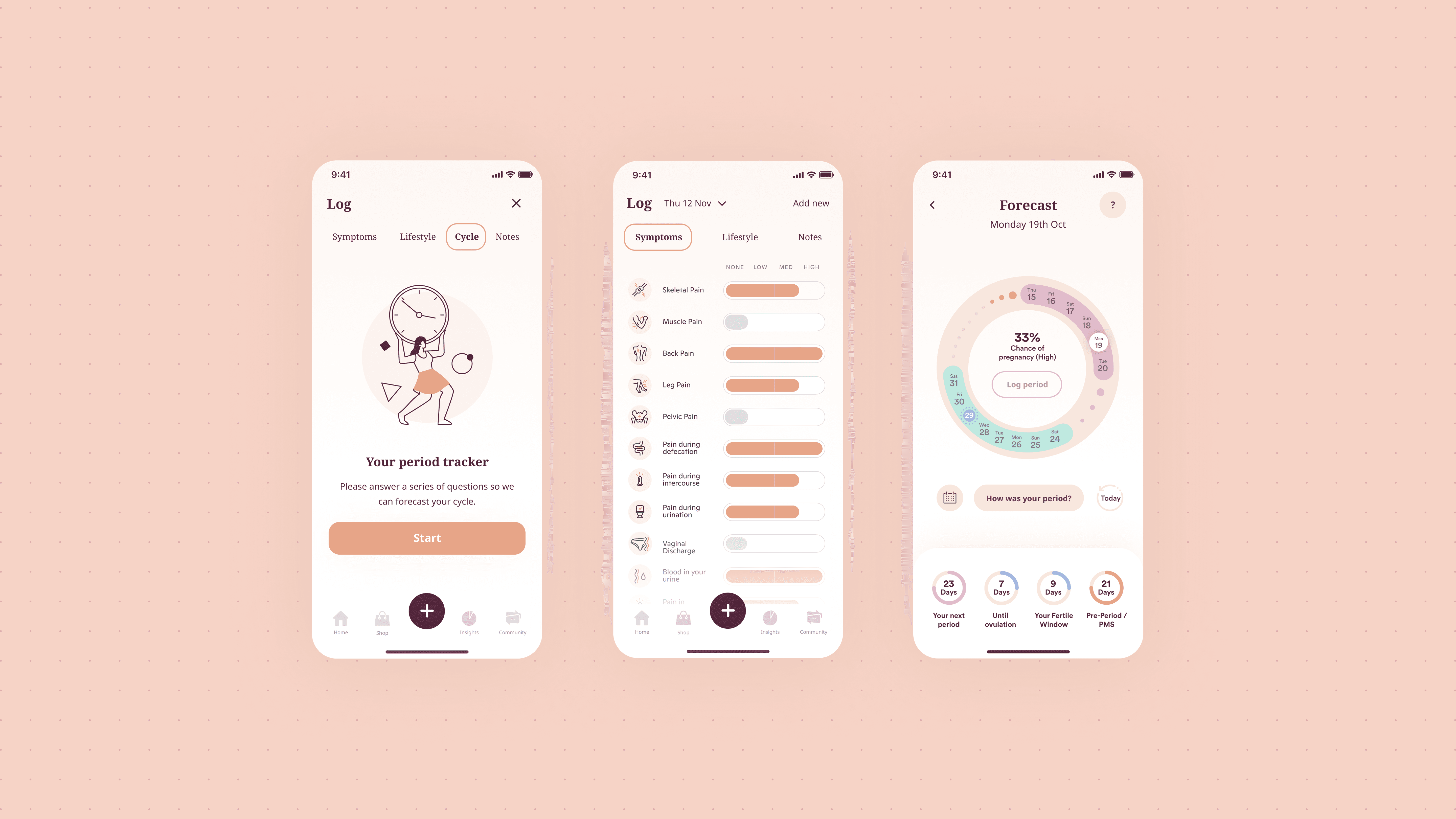
I worked on the design of a women’s health app for a UK-based client, focused on menstrual cycle tracking and wellbeing.
The goal was to create a simple and intuitive experience that helps users log, understand, and anticipate their cycle through clear data visualisation and daily interactions.
The Problem
The Problem
Cycle tracking apps often rely heavily on calendar-based views, which can make it difficult for users to quickly understand patterns and key insights.
From early exploration, two main challenges emerged:
Data was hard to interpret at a glance
Users could log symptoms and track their cycle, but the information was not presented in a way that made trends or insights immediately clear.
The experience needed to feel personal and approachable
Designing for a women-only audience required careful consideration of tone, usability, and inclusivity—especially as I was not part of the target user group.
My Role
My Role
UX/UI Designer
Designed core user flows and app structure
Created high-fidelity mobile UI
Defined interaction patterns and data visualisation
Approach
Approach
I focused on making the experience:
Easy to understand at a glance
Simple to use on a daily basis
Supportive and non-clinical
User input and feedback were key in shaping a product that felt intuitive and relevant.
Key Design Decisions
Key Design Decisions
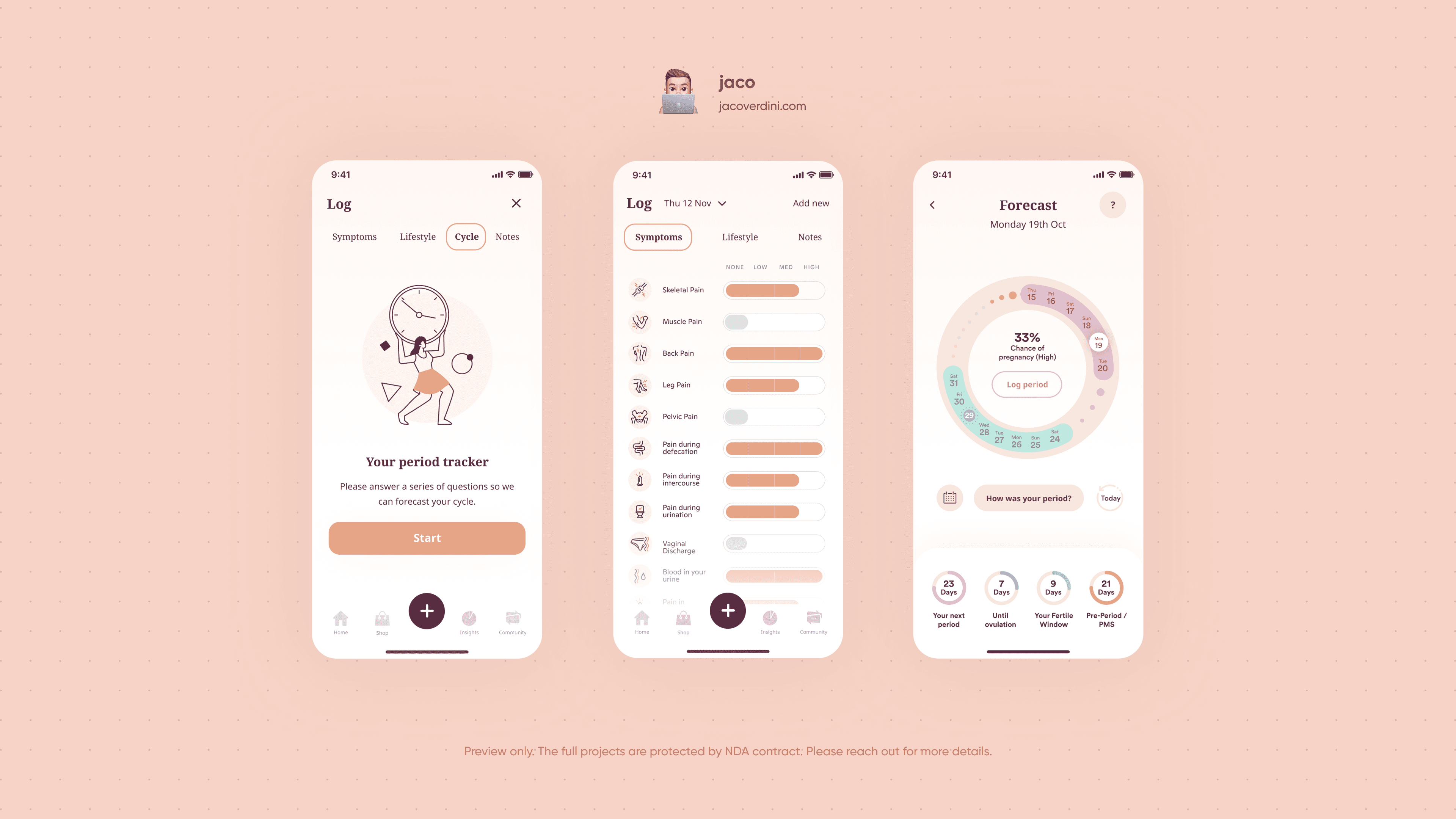
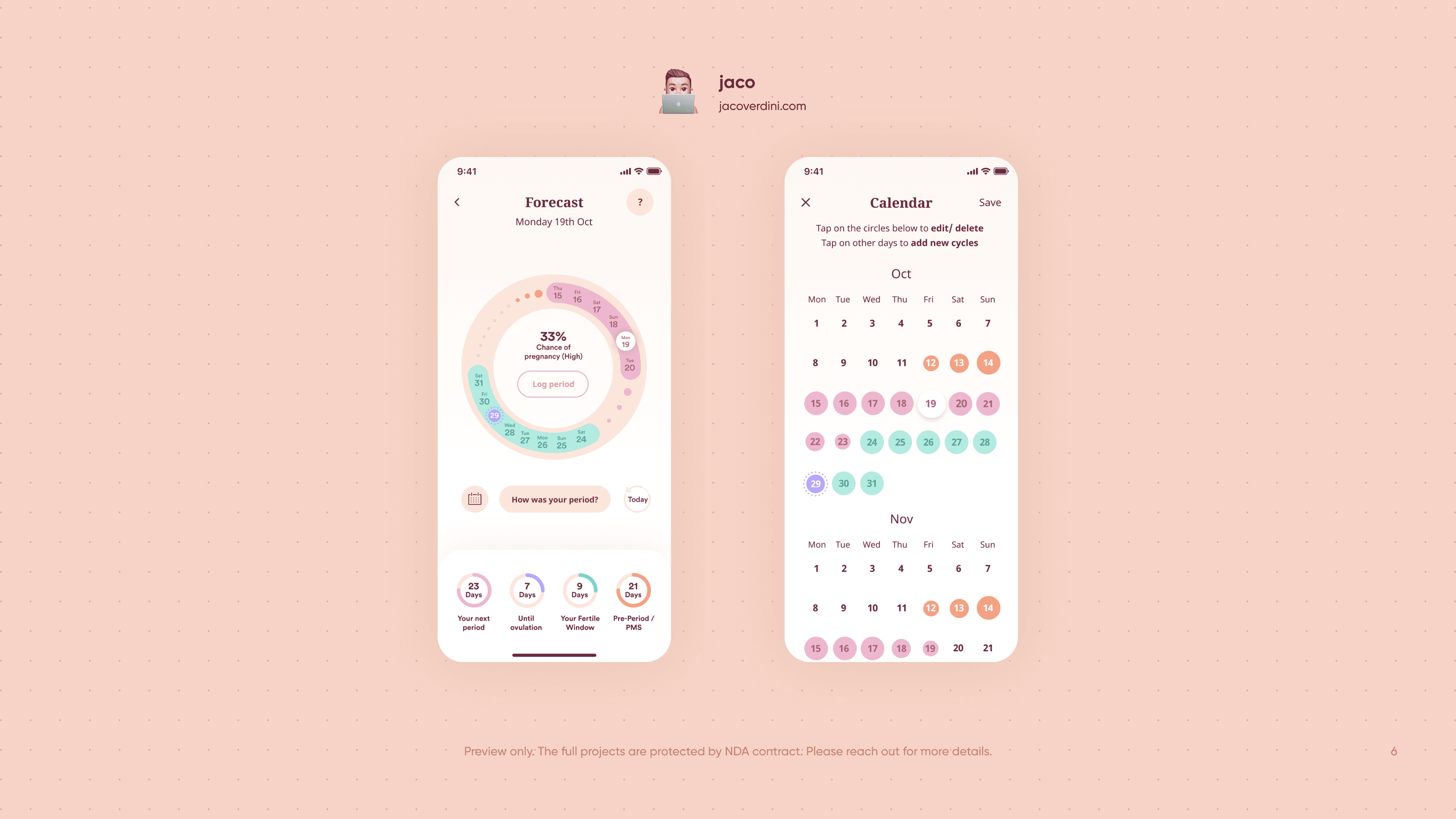
1. Introducing a circular cycle visualisation
Instead of relying only on a traditional calendar view, I designed a circular cycle tracker:
Gives users an immediate overview of their cycle
Highlights key phases and important dates
Makes patterns easier to recognise visually
A secondary calendar view was still available for more detailed navigation.
2. Simplifying symptom tracking
I designed a clean and structured way for users to log:
Symptoms
Mood
Physical changes
This reduced friction in daily use and encouraged consistent tracking.
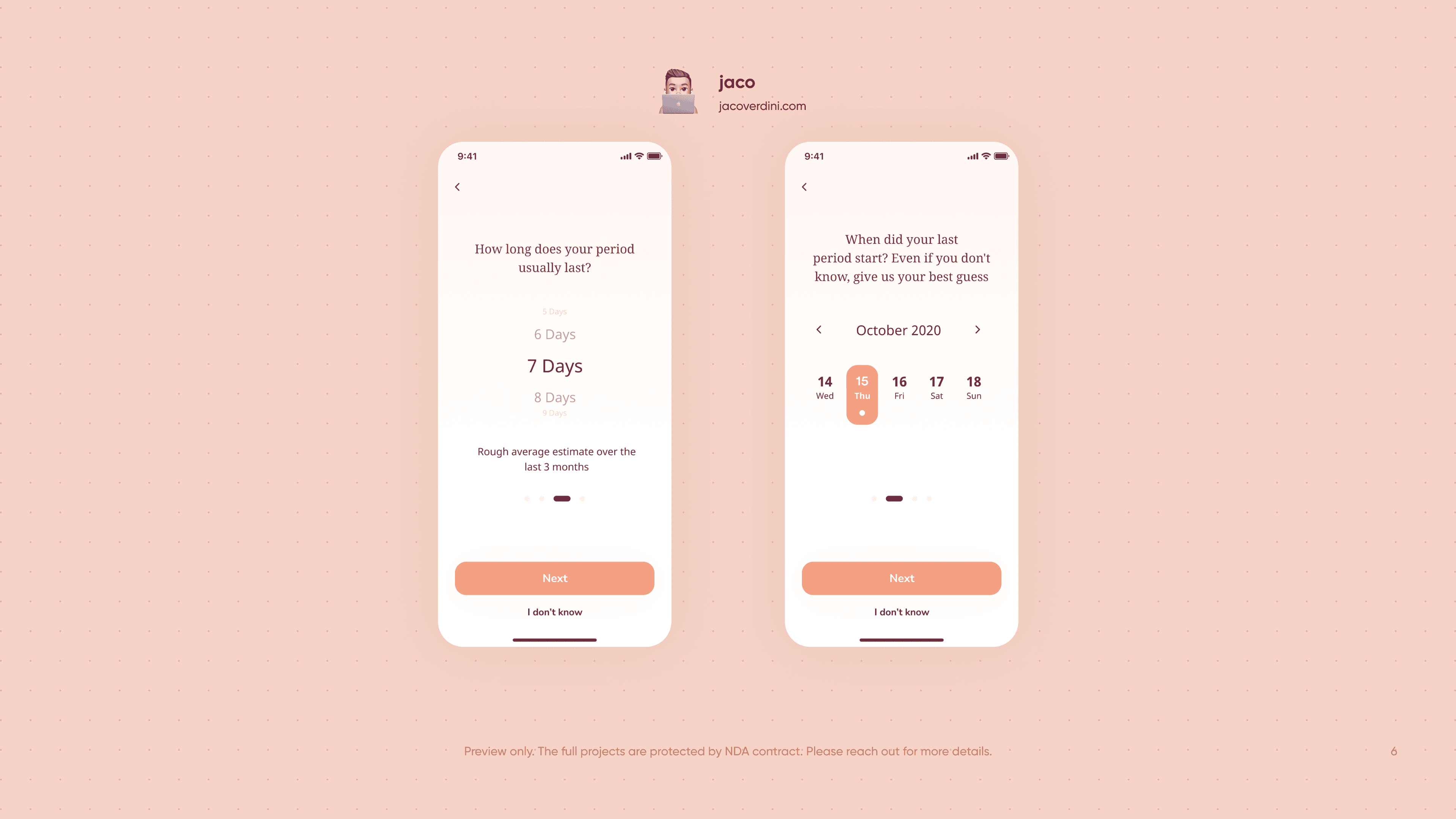
3. Designing a guided onboarding experience
To personalise the app, I created an onboarding flow that:
Collects key cycle information
Helps estimate cycle length and patterns
Adapts the experience based on user input
This ensured users received relevant insights from the start.
4. Designing with empathy and clarity
Given the sensitive nature of the topic, I focused on:
Soft visual design and accessible UI
Clear, supportive language
Avoiding overwhelming users with too much data
Outcome
Outcome
Improved clarity in how users understand their cycle data
More intuitive daily tracking experience
Stronger foundation for long-term engagement
Reflection
Reflection
This project highlighted the importance of designing with empathy and understanding, especially when working on personal and sensitive topics.
It also reinforced how thoughtful data visualisation can significantly improve how users interpret and engage with information.